Back-office Tooling


Increasing efficacy of operational & financial workflows
Team
4 Devs + 1 PM + 1 Designer
Role
Senior Product DesignerMode
Solo designer at UpvestShipped in
2025-2026Upvest is a European fintech company that provides a universal 'Investment API' embedding fractions, portfolios, savings plans, and more. Essentially, Upvest handles the heavy lifting of the financial & regulatory world so its clients can focus on user experience.

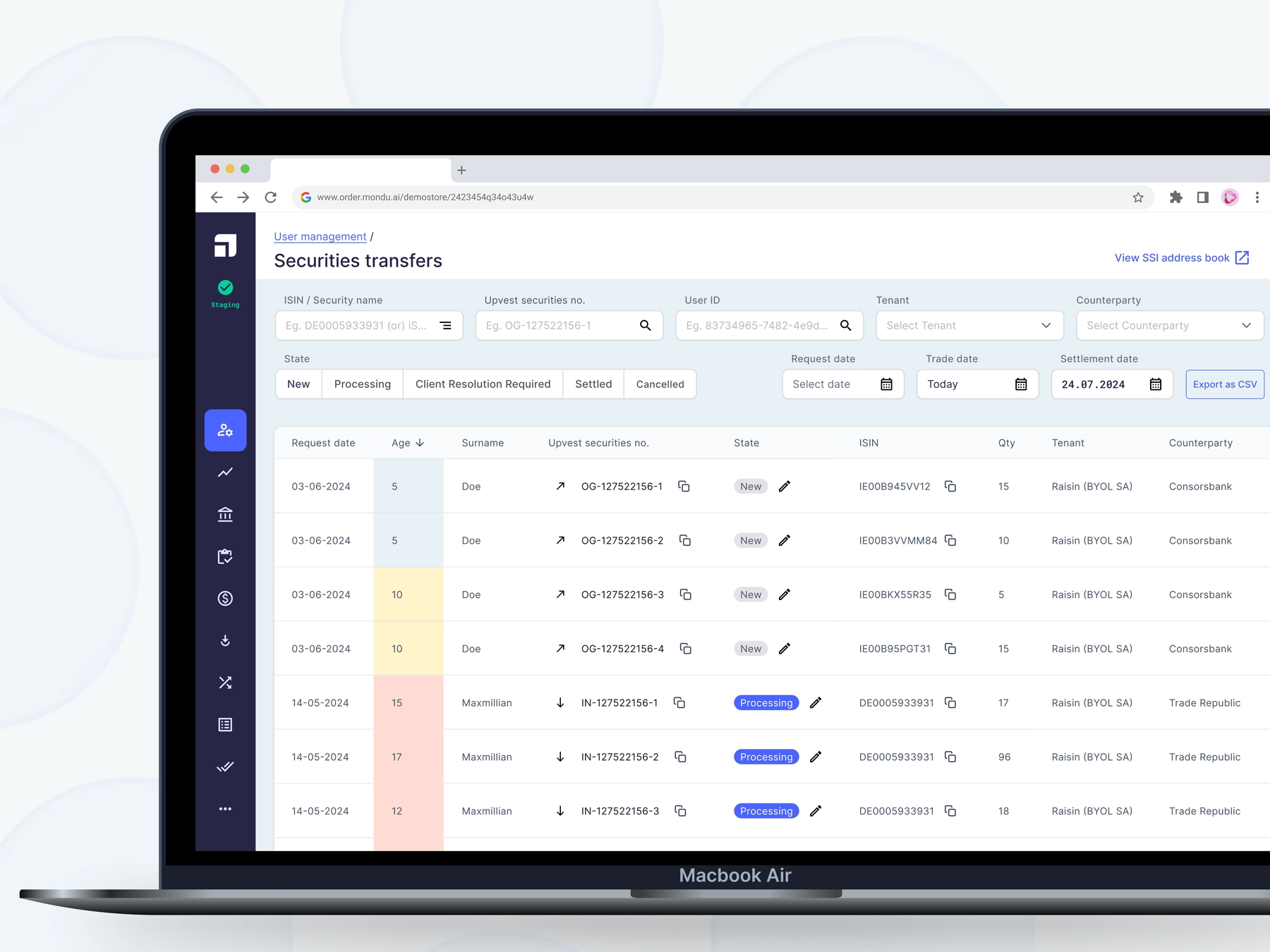
Back-Office Modules: Users
The back-office (managed by the Tooling squad) is used by the operations team to manage & process all data flowing through Upvest. It contained extensive data sets and was separated into multiple modules, that were managed by individual squads.
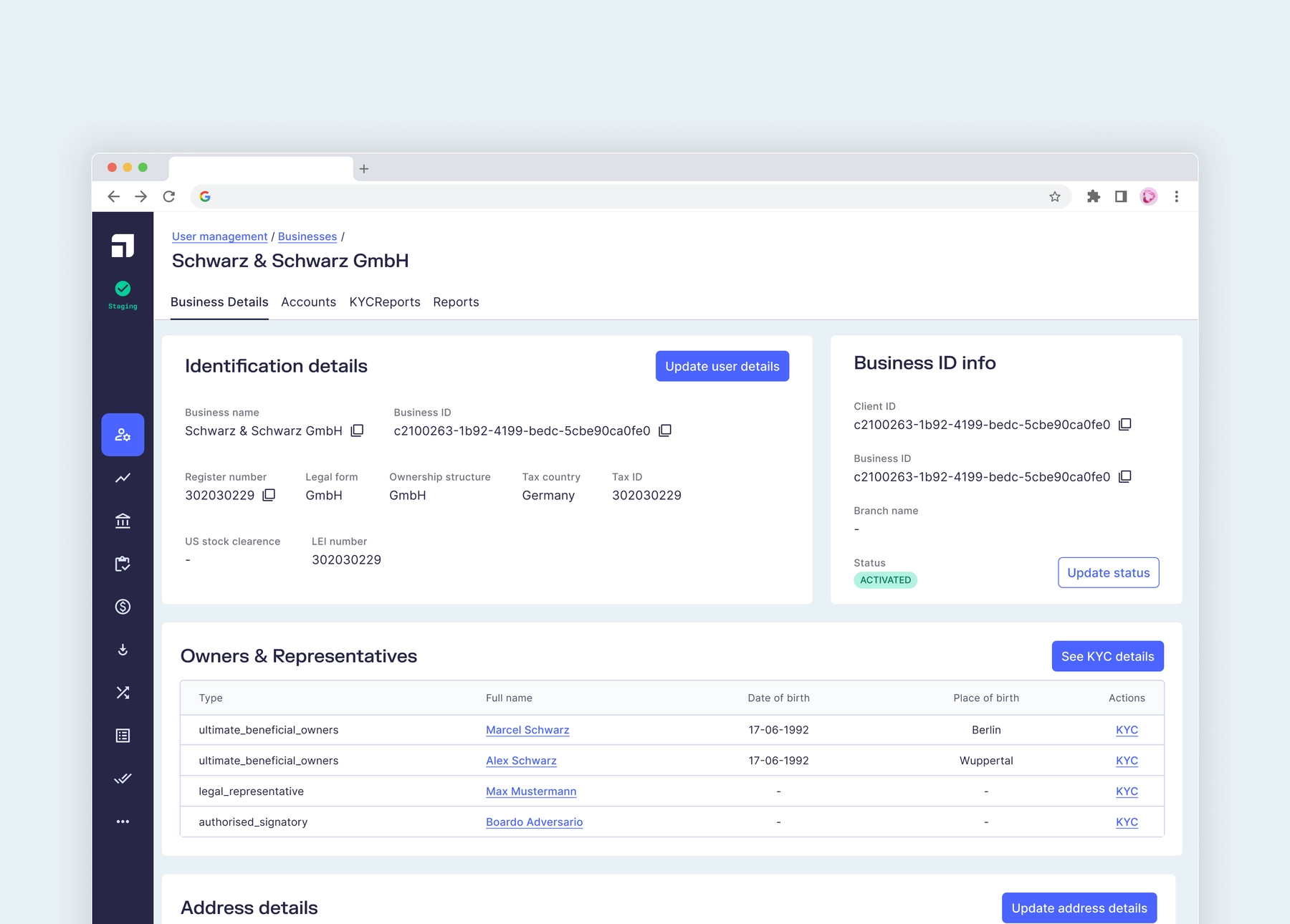
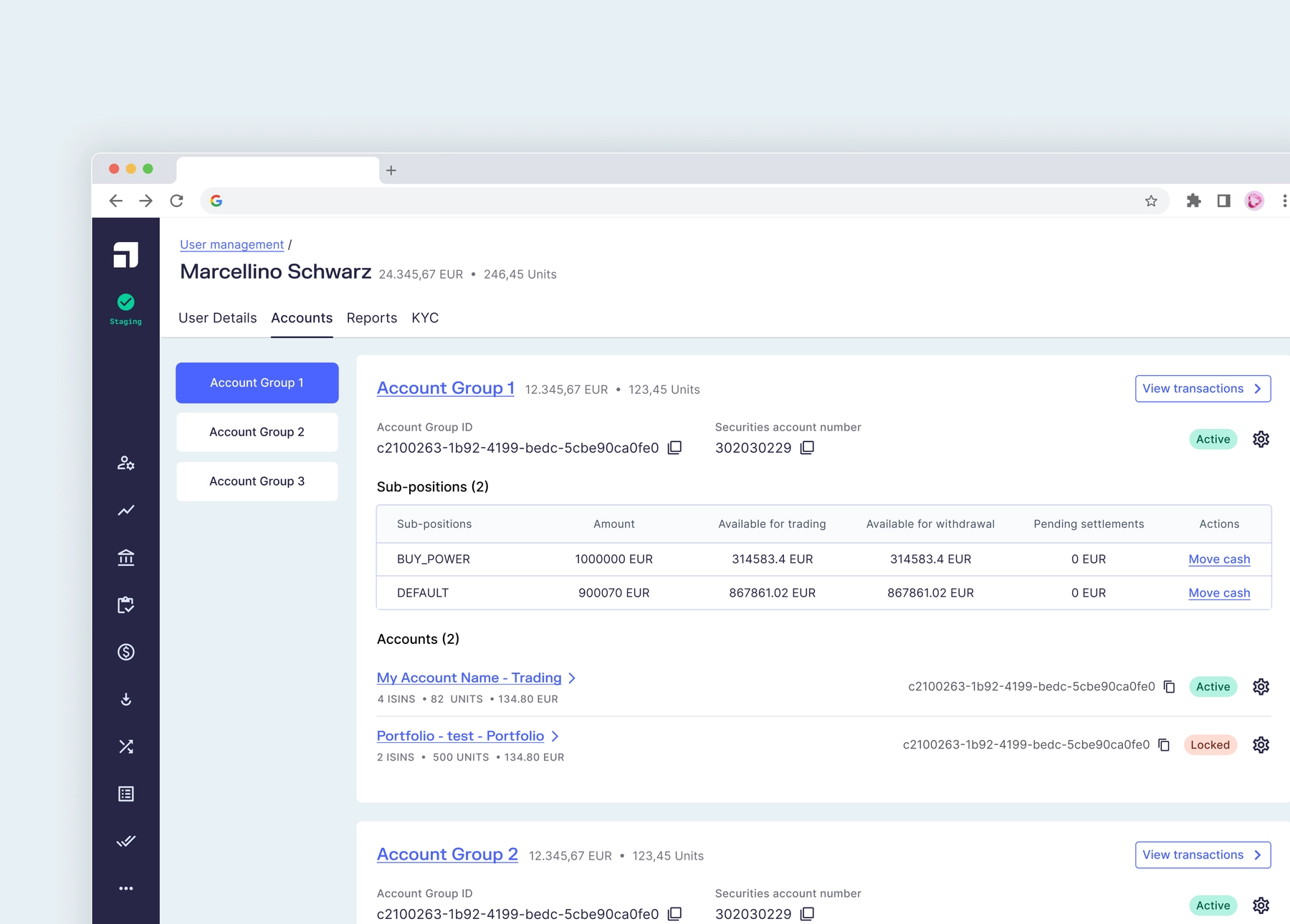
The User Module as shown below contained only individual users at first, but as Upvest evolves to add more features for its customers, the module grew to also cater to Business Users.


Introducing new columns
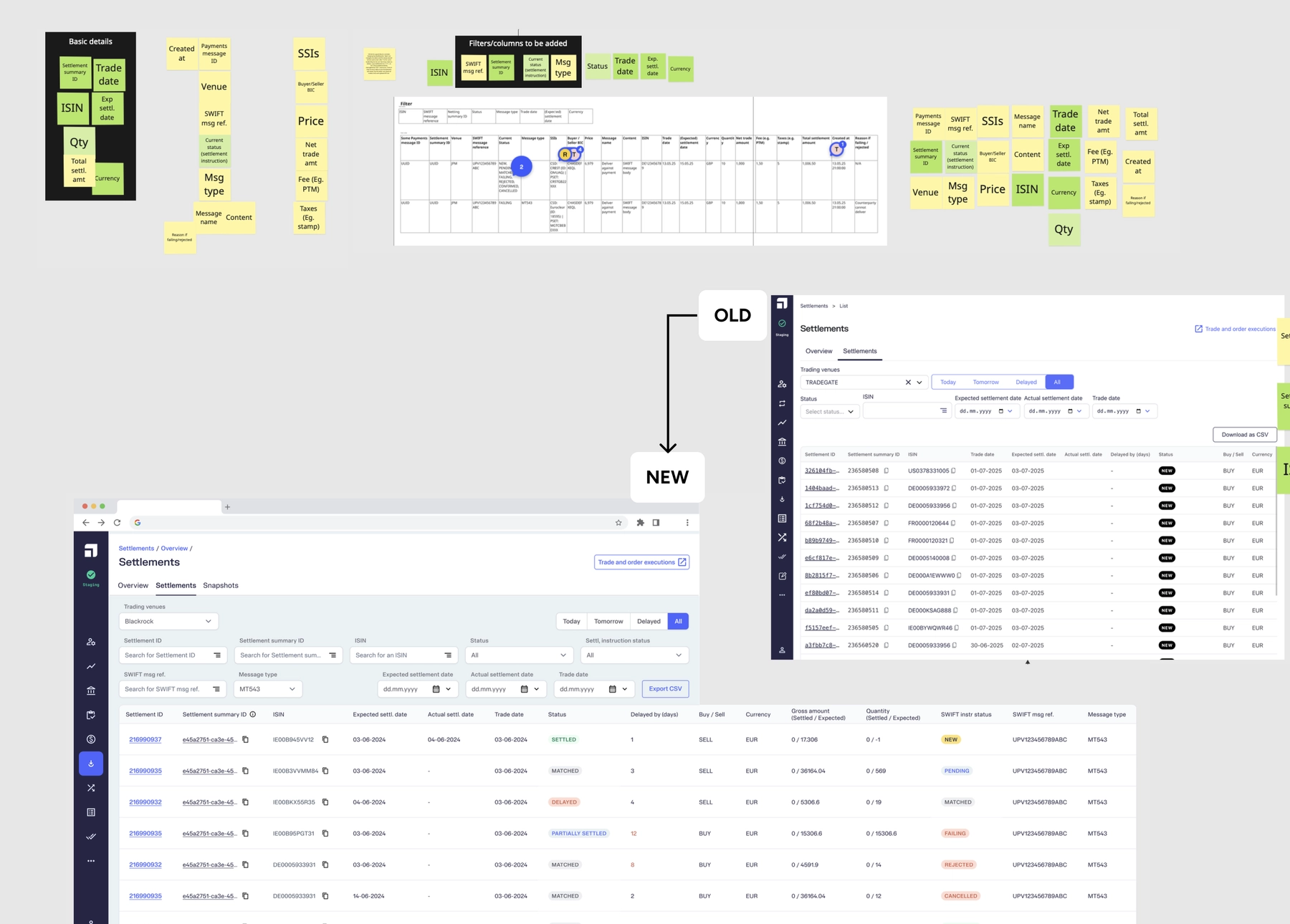
Adding a column to a table is by far the most frequent request from the ops team. Jokes aside, the Settlements module's revamp was attempted before my time and given up on because of its complexity, and the team had to work with Looker.
In less than a month, I worked on this upgrade for Settlements, ran it through ops & the Settlements team. And once we were good to go on the design & product side, the Tooling team pre-groomed, groomed and rolled out the all-new Settlements module.

Evolution of Workflow Management
In the many modules of the back-office, individual entities such as Corporate Actions and Reconciliations can be assigned to an individual Ops member. The Workflow Management showed all the assigned entities for a member.
In an initiative to enhance the old and poorly functional Workflow Management, the product team set out to create a 'Case Manager'. As a part of the discovery, I created a mapping of the existing infrastructure and where the new Case Manager would fit.

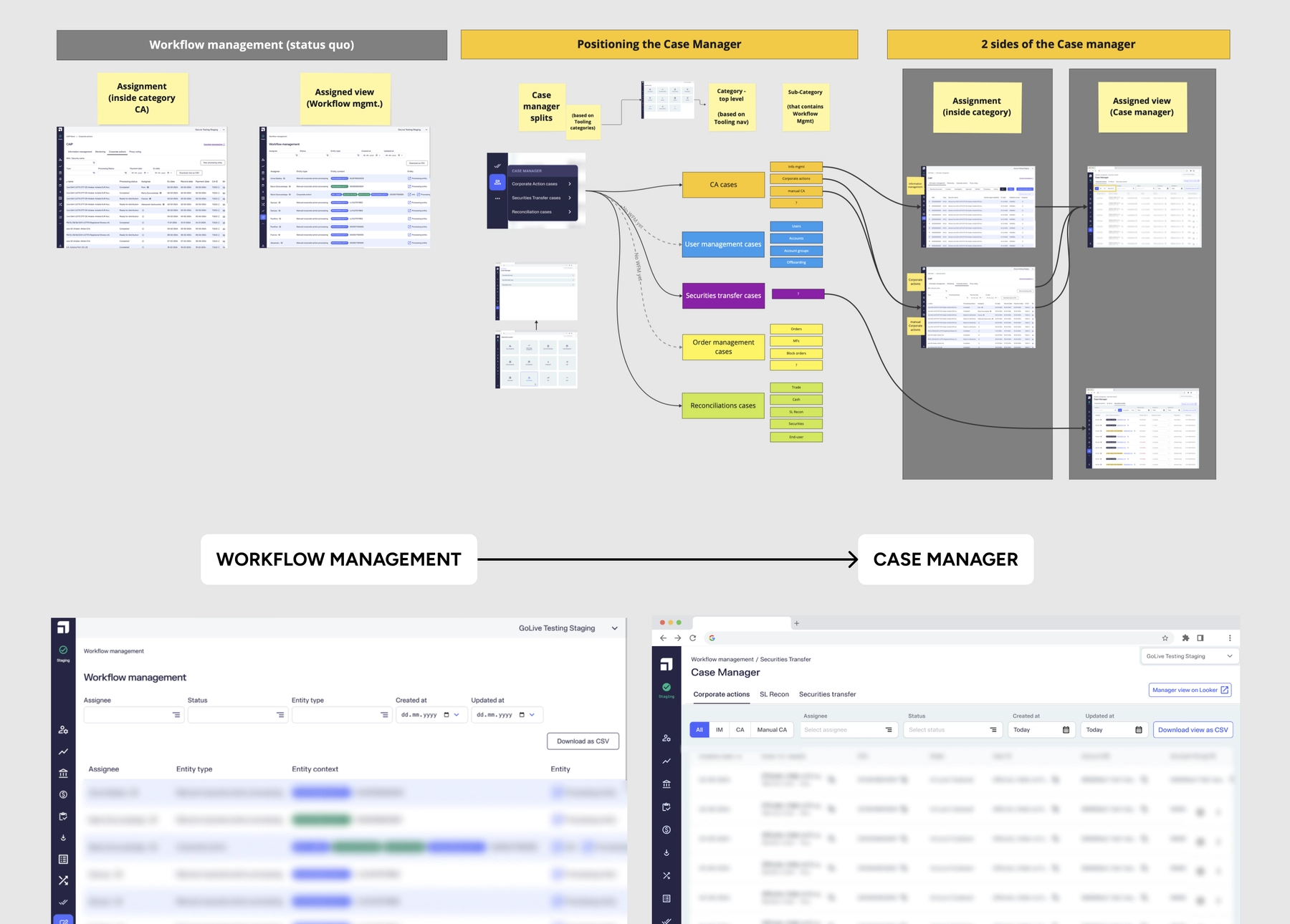
In the image above, the Case Manager was proposed to contain tabs that will separate the entities like Corporate Actions, SL Reconciliations, and Securities Transfers.

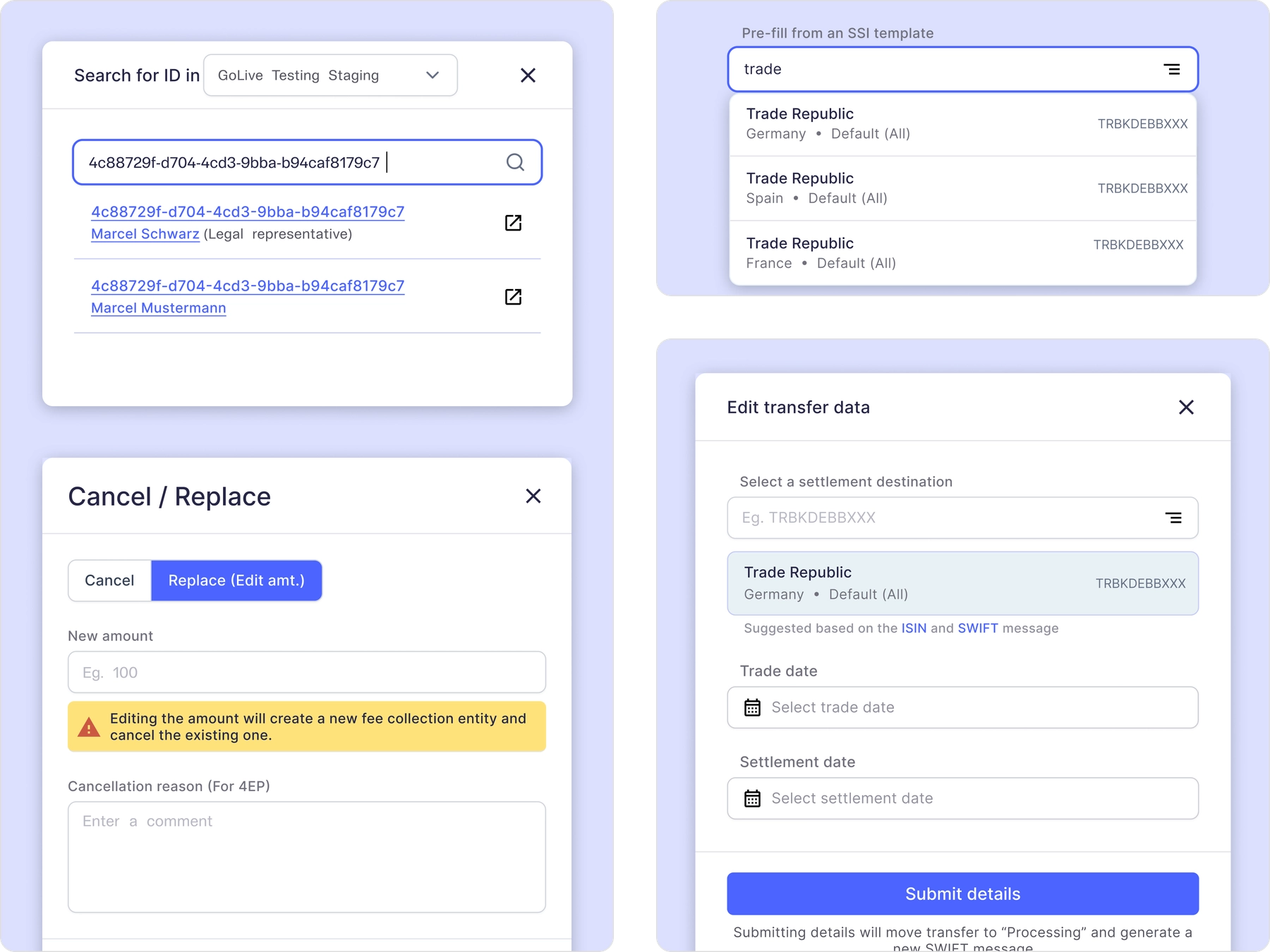
Updates to Navigation
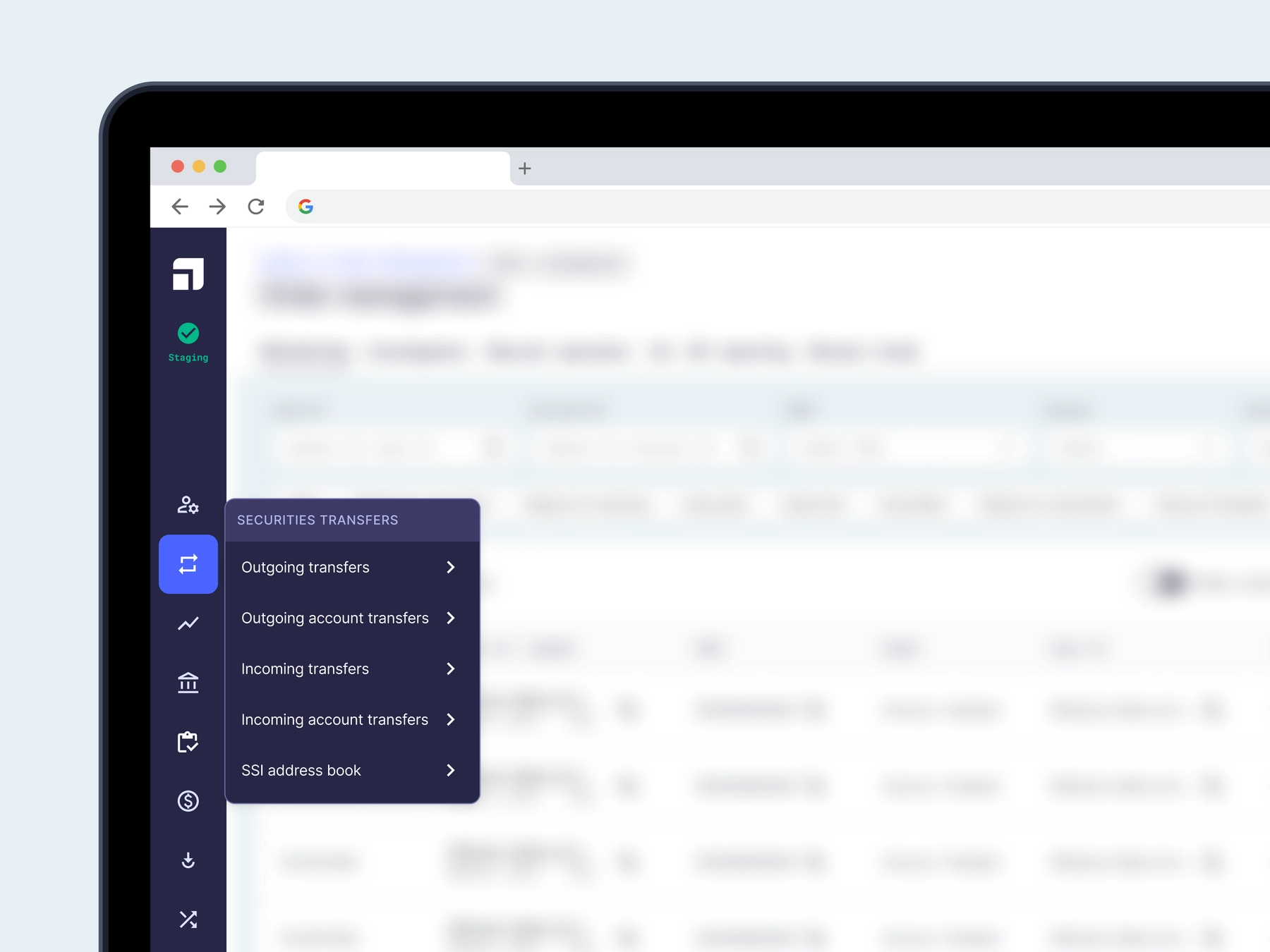
Since the modules were used by multiple teams and ops members, the navigation was getting too complex and needed some re-structuring. My team and I, collaborated heavily with ops & PMs of the other squads to re-structure the nav. The new updates were introduced, as and when it was planned to be rolled out, in our bi-weekly sync sessions.

Corporate Actions
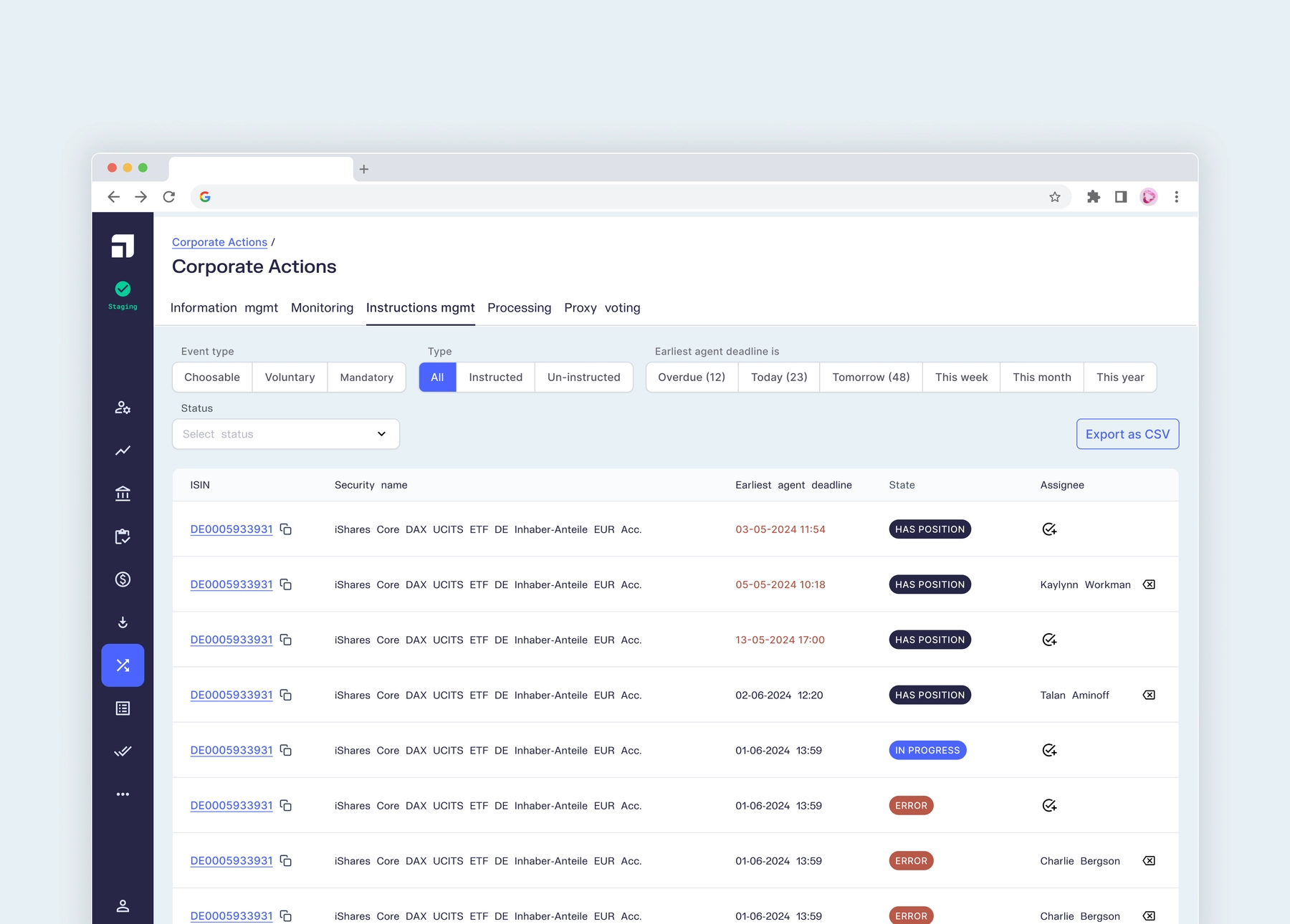
CA or Corporate Actions was a module that was a complex one for me, at first. Each CA had its own lifecycle and it moved from one tab to the other as it evolved. It comes is as IM (Information Management), and moves into Monitoring after a few checks, then into Instructions Management where it is assigned to an ops agent, and then moved into Processing.

Order Management
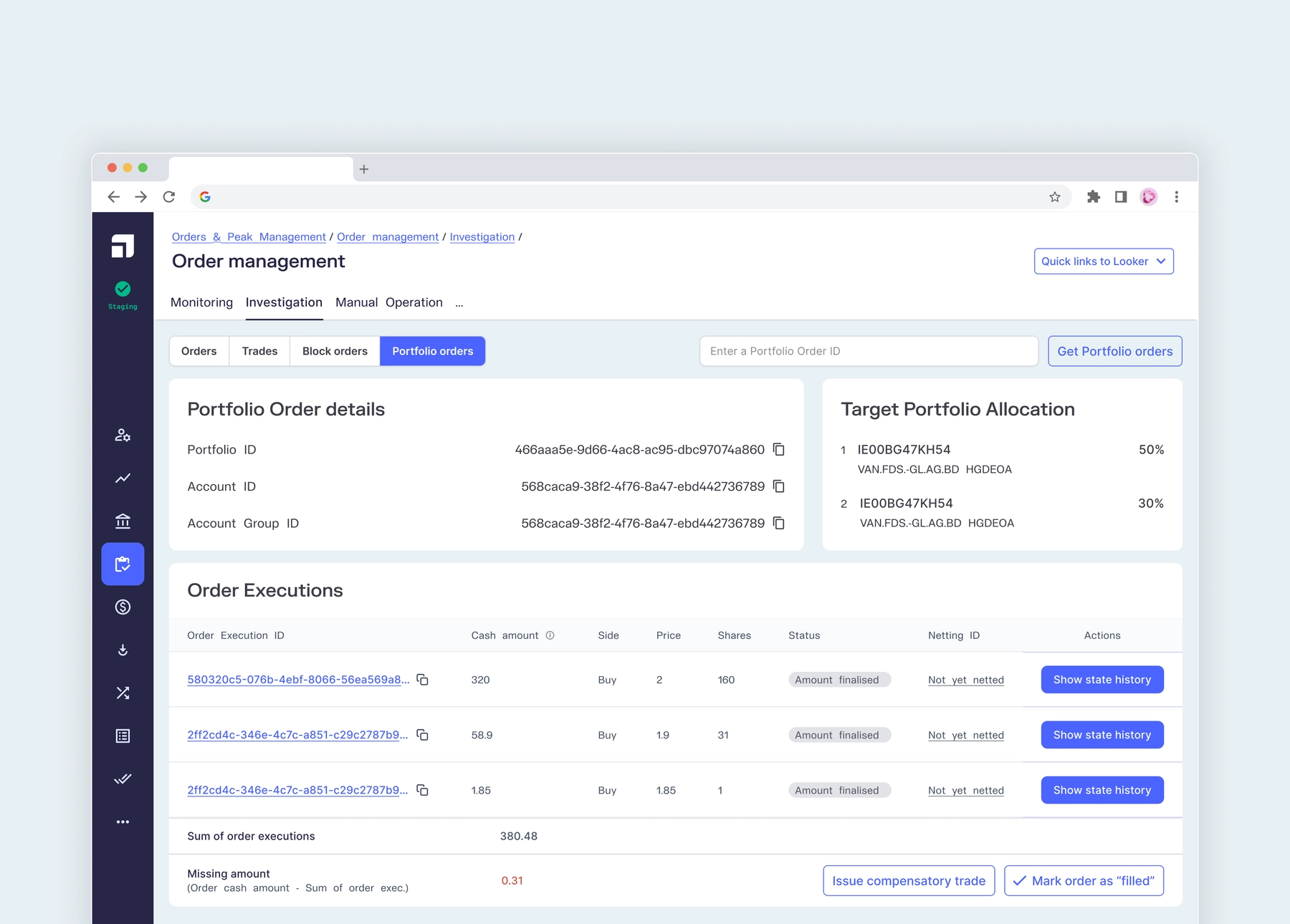
Orders were the basic unit of the back-office. They could be portfolio orders, trade orders, block orders and more. Investigation (shown below) displays the details of the order, when clicked from the orders table in the Monitoring tab.

Sub-Ledger Reconciliation
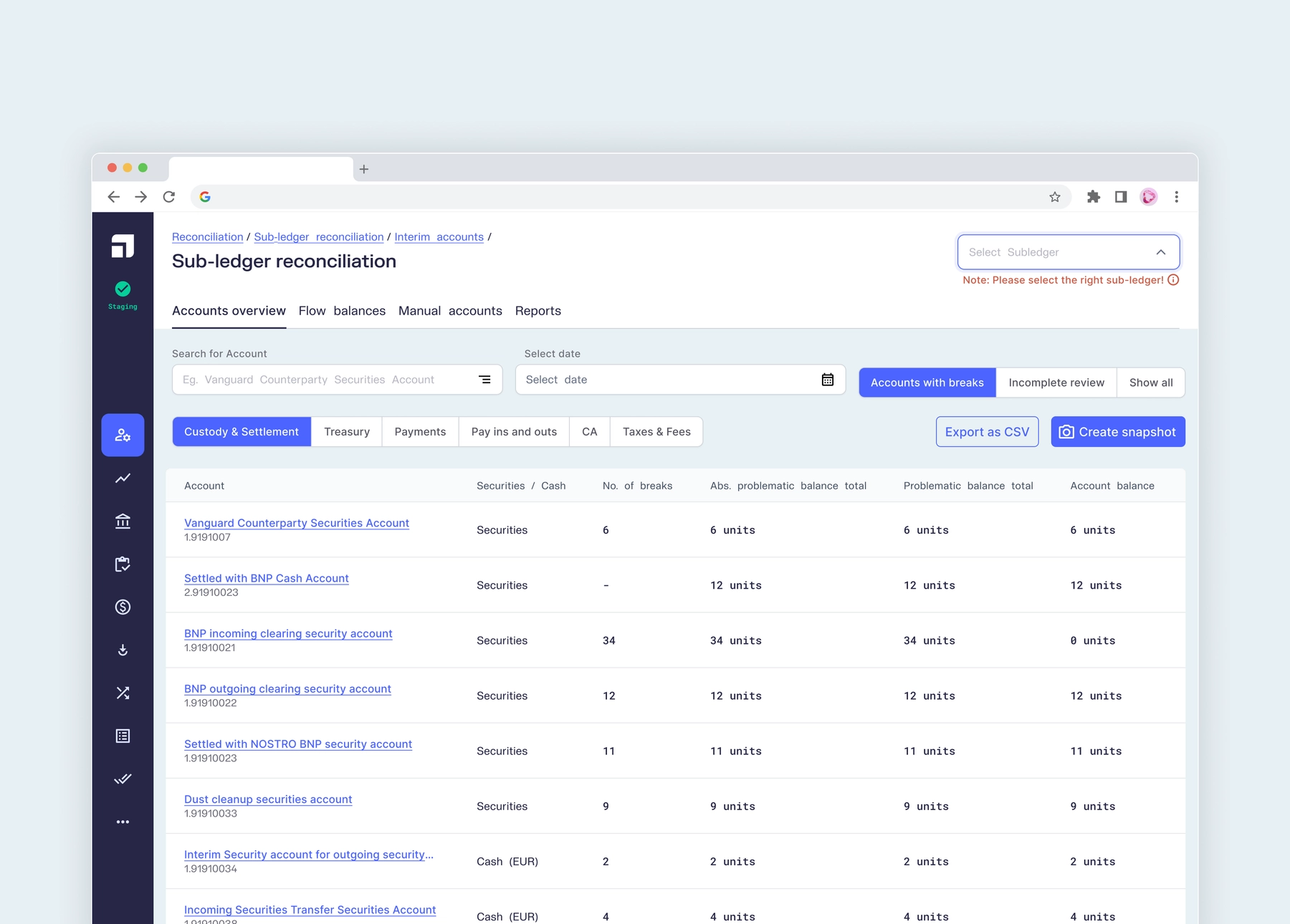
SL Recon, was also a complex module that was new to me. The flow was complex and really needed some product-thinking. The Accounts Overview, was where the accounts were listed and ops can easily filter and arrive at problematic accounts that need their attention.

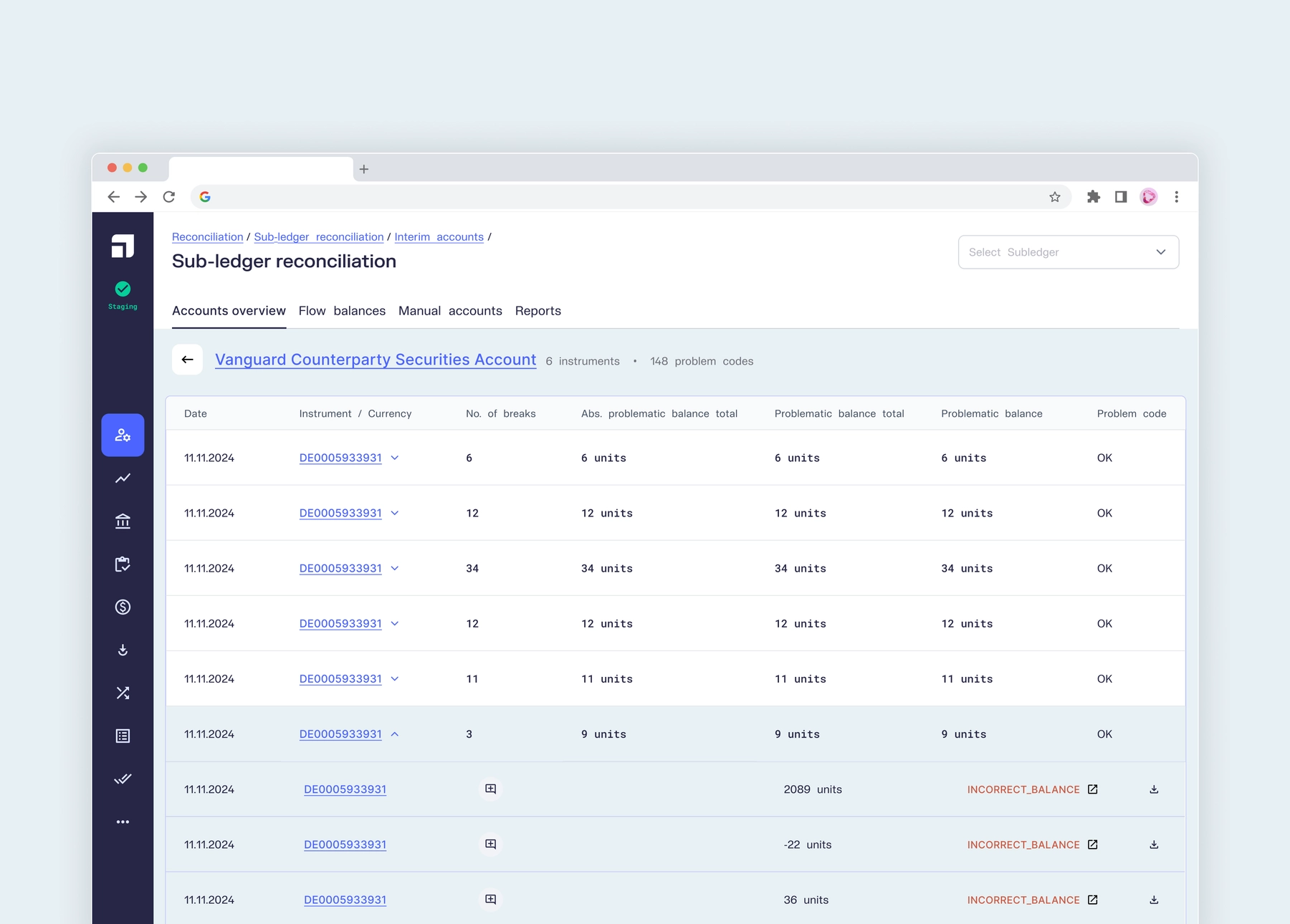
On selecting one of the accounts (from the accounts overview above), its details can be seen (shown below). The individual instruments can be expanded to show all problematic instances that need to be investigated, directly from this view. Ops can also click on the error that appears in red, to find a reason and add a comment to add context. Assignments and comments, were global functionalities that were owned by the Tooling team.

Addicting challenges
This page is but a drop in the ocean of the work that was done in the back-office during my 2 year stint at Upvest. By the day, the problems that were thrown at me became addicting and I enjoyed solving them like a puzzle in an escape room.
In only a few months, the ops team became very familiar and comfortable with the quick solutions we rolled out and started to regularly participate in our bi-weekly sync (and release) sessions and request for more and more features and UX improvements.